

RESIZE ANY IMAGE,
KEEP THE FOCUS.
Perfect fit for every platform - Focus where it matters - Save hours of editing - No design skills needed - Consistent branding everywhere -
What do we do?
Upload one or multiple images, choose your desired sizes, and set the exact focus point that matters most.
Our tool instantly generates perfectly resized versions, keeping your focus point sharp and centered every time. Ideal for creating ads, posting social media, and fitting your images to any space — and maximizing impact."
How It Works
Streamlined Process Overview

1. Choose Output Sizes
No limits
Create any type of image size you want to see as an output. Combine any width and height, as much as you want!

2. Upload Input Image(s)
And organize your output folder name
Select one or multiple images from your device and get started instantly — no complex setup or design skills required. You can upload JPG, PNG or Webp.

3. Set Your Target & Focus Point
And crop your images without losing the most important part
Click to choose the exact focus point & keep your subject in frame, no matter the dimensions.

4. Download Your Outputs
Organized Images & Perfect Sizes, Every Time
One-Click Download to get your output images, resized to your specifications in seconds, so you can directly upload to your desired platforms. You can also download all your input images in a folder to share with your teammates". No more guesswork!

For Marketing Professionals
Flawlessly adapt campaign visuals for all social media and web ad dimensions. The benefits: Use the focal point selector to ensure your logo or product remains centered and visible, guaranteeing visual consistency across every channel.

For Real Estate Agents
Prepare property photos to meet strict MLS and listing site dimension requirements quickly. The benefits: Highlight the best property features. Use smart cropping to keep the focal point framed perfectly, ensuring professional quality for every upload.

For Web Developers
Generate dimensioned images that retain their key subject on all screens—desktop to mobile. The benefits: Maintain visual stability without complex code. Our tool keeps the focal point consistent as containers resize, preventing awkward crops in responsive layouts.

For E-commerce Stores
Instantly convert all product photos to a single, professional aspect ratio (e.g., 1:1 or 4:3). The benefits: Boost conversions with visual uniformity. Control the focal point to ensure the product is centered in every thumbnail and gallery view.
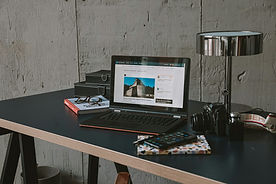
For Bloggers
Speed up creation by quickly generating all needed dimensions from one original image (hero, social, text). The benefits: Save time on manual design. Use the focal point feature to ensure your image's subject is never cut off, maintaining the integrity of your visual storytelling.

For Photographers
Adapt high-res work for portfolio sites or client proofs with precise custom dimensions. The benefits: Gain full artistic control over adaptation. Dictate the exact focal point to control the composition of the final resized image, ensuring quality hand-off without heavy editing software.
Testimonials
- - - - - - - - - - - - - - - - - - - - - - - - - - - - - - - - - - -
- - - - - - - - - - - - - - - - - - - - - - - - - - - - - - - - - - -
- - - - - - - - - - - - - - - - - - - - - - - - - - - - - - - - - - -
- - - - - - - - - - - - - - - - - - - - - - - - - - - - - - - - - - -
"I used to spend hours resizing images for each ad platform. Now, I just select my targets once and get perfectly resized images in seconds. It’s a total game-changer for my workflow."
María Gómez, Digital Marketing Specialist
"Our brand photos finally look consistent across Instagram, LinkedIn, and banners. The focus point feature is pure genius."
Alex Romero, Content Manager
"No more awkwardly-cropped images that cut off our products on social media. This tool delivers exactly what I need, every single time."
Sofía Martínez, E-commerce Owner
FAQ'S
Why Is This Free And With No Ads?
This is our MVP! If we see traction, to cover costs, we will probably have to add advertisements or a subscription model...
Do You Store Or Analyze My Images?
No, all processing is done securely, and your files will automatically be deleted upon request. Since we are based in Europe, we follow GDPR regulations.
Can I Resize Multiple Images At Once?
Yes, you can upload and process several images in a single session to save time.
Will The Image Quality Be Affected After Resizing?
We use advanced resizing algorithms to preserve sharpness and clarity, even at custom dimensions.
Is There A Limit On The Output Sizes I Can Choose?
No, you can enter any custom dimensions you need for your platforms or campaigns.
What File Formats Can I Upload And Download?
You can upload JPG, PNG or Webp, and export in either JPG or PNG.
Why do I need to sign-up?
In order to have your own custom dimensions, export setting and work area with your past images, you'll need to have a profile.
~ ~ ~ ~ ~ ~ ~ ~
~ ~ ~ ~ ~ ~ ~ ~
~ ~ ~ ~ ~ ~ ~ ~
~ ~ ~ ~ ~ ~ ~ ~
~ ~ ~ ~ ~ ~ ~ ~
~ ~ ~ ~ ~ ~ ~ ~
Contact Us
Have any doubts? Have any feedback?
Or maybe you are interested in implementing a white label for your company (yes, we can do that!)
Don't hesitate to reach out!